PatternPop Case STYLE NOTES · SEPTEMBER 21, 2026
How to choose a phone-case variant when one photo shows several designs
When a product photo shows several case designs, do not choose from the photo alone. First select the full phone model, then choose the option label shown in the selector, and finally confirm the selected price before adding the case to your bag. A link with an exact variant can open the right model and label, but the selector—not a guessed position in the collage—is the purchase record.
The three checks to make before you buy
- Read the complete phone name. “iPhone 17,” “iPhone 17 Pro” and “iPhone 17 Pro Max” are separate choices. Match every word to the name in your phone settings.
- Keep the option label visible. Labels such as Pink1, Pink2, Pink3 or red identify catalog choices. They are not descriptions that let us safely guess which panel of a multi-design image is selected.
- Recheck the price and availability. The two iPhone 17 Pro Max examples below are currently listed at $15.00 USD and eligible for checkout. The site confirms both again before payment.
This order matters. If you begin by choosing the prettiest panel in a four-case picture, it is easy to carry that visual assumption into the wrong model or option. Starting with the selector turns the decision into a verifiable product choice.
Why a multi-design photo is a reference, not the variant name
A catalog image can be useful because it shows the general design family, color range and visual scale in one frame. It can also show several phones, artwork arrangements or edge colors together. That does not create a reliable one-to-one map between “top left” and a label such as Pink1 unless the catalog explicitly provides that mapping.
PatternPop Case therefore keeps the photo and the purchase selector as two different pieces of evidence. Use the photo to decide whether you like the family of motifs. Use the selected model, option label and SKU to decide what enters your bag. If the label still feels ambiguous after you compare the available images, pause and ask customer care before paying.
Example one: Pink Ladybug Patchwork
The Pink Ladybug Patchwork main image is a four-design reference sheet. It includes red and pink cases with polka dots, ladybugs, a dragonfly and a flower. The current catalog offers Pink1, Pink2, Pink3 and red option labels across supported phone models. The image establishes the visible design family, but it does not by itself prove which panel is Pink1.
Open Pink Ladybug Patchwork with iPhone 17 Pro Max / Pink1 selected. This exact SKU is currently listed at $15.00 USD and available for checkout. After the page opens, verify that the selector still shows both Pink1 and iPhone 17 Pro Max. Change either field if it does not match the phone and option you intend to buy.
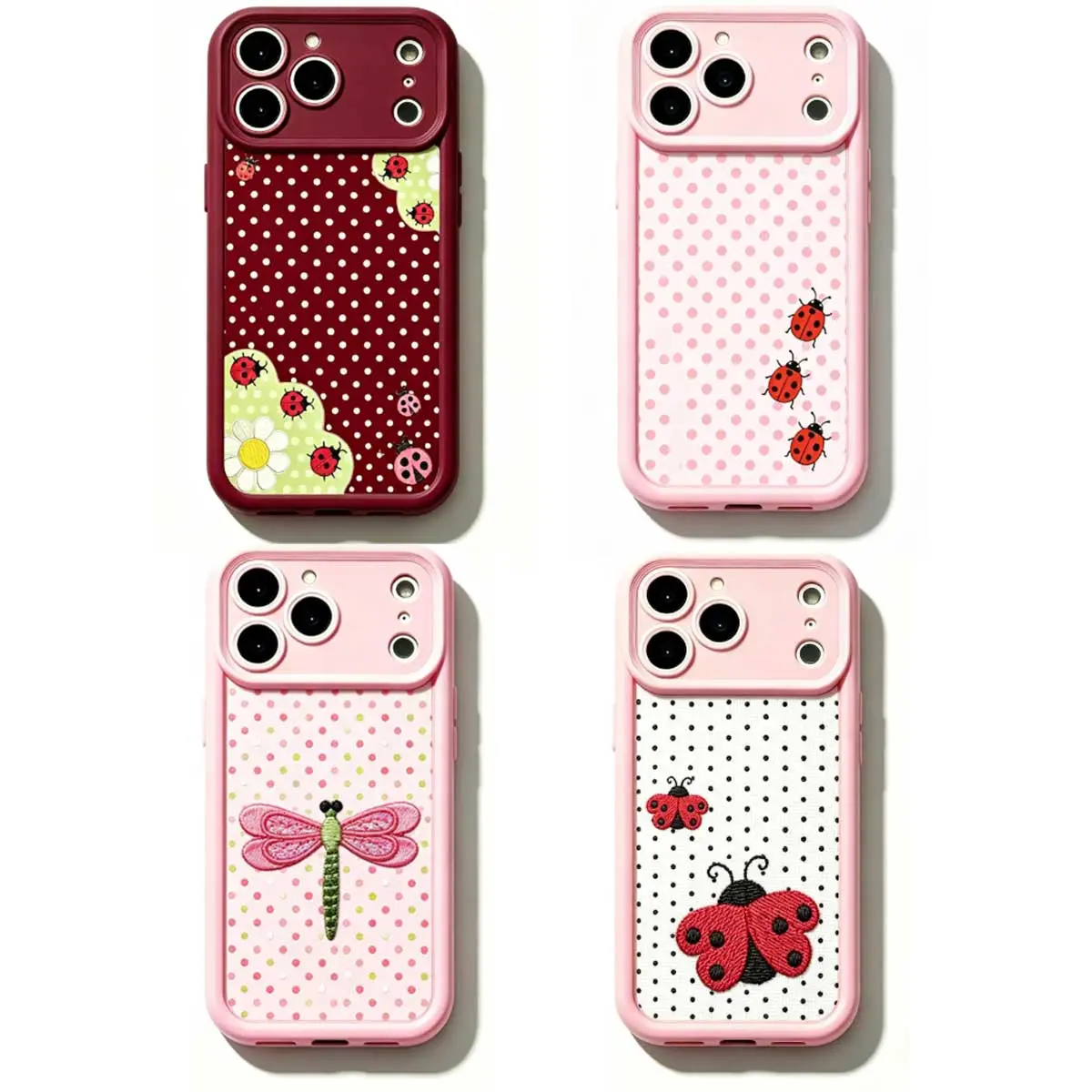
This product is a good example of why visual position should not replace the catalog label. A buyer may remember “the pale pink one” while the actual selector records Pink1, Pink2 or Pink3. Write down or screenshot the selected label before proceeding to checkout if you are comparing several tabs.
Example two: Pink Lily Polka Dot
The Pink Lily Polka Dot main image shows two pink-edged cases: one with a light ground and black dots, and one with a dark ground and pink dots. Both include pink lily artwork near the lower portion of the case. The catalog provides Pink1 and Pink2 option labels, but the main image alone does not state which side is Pink1.
Open Pink Lily Polka Dot with iPhone 17 Pro Max / Pink1 selected. That exact SKU is also currently listed at $15.00 USD and available for checkout. Confirm the option label and full model on the product page before using Buy now or Add to bag.
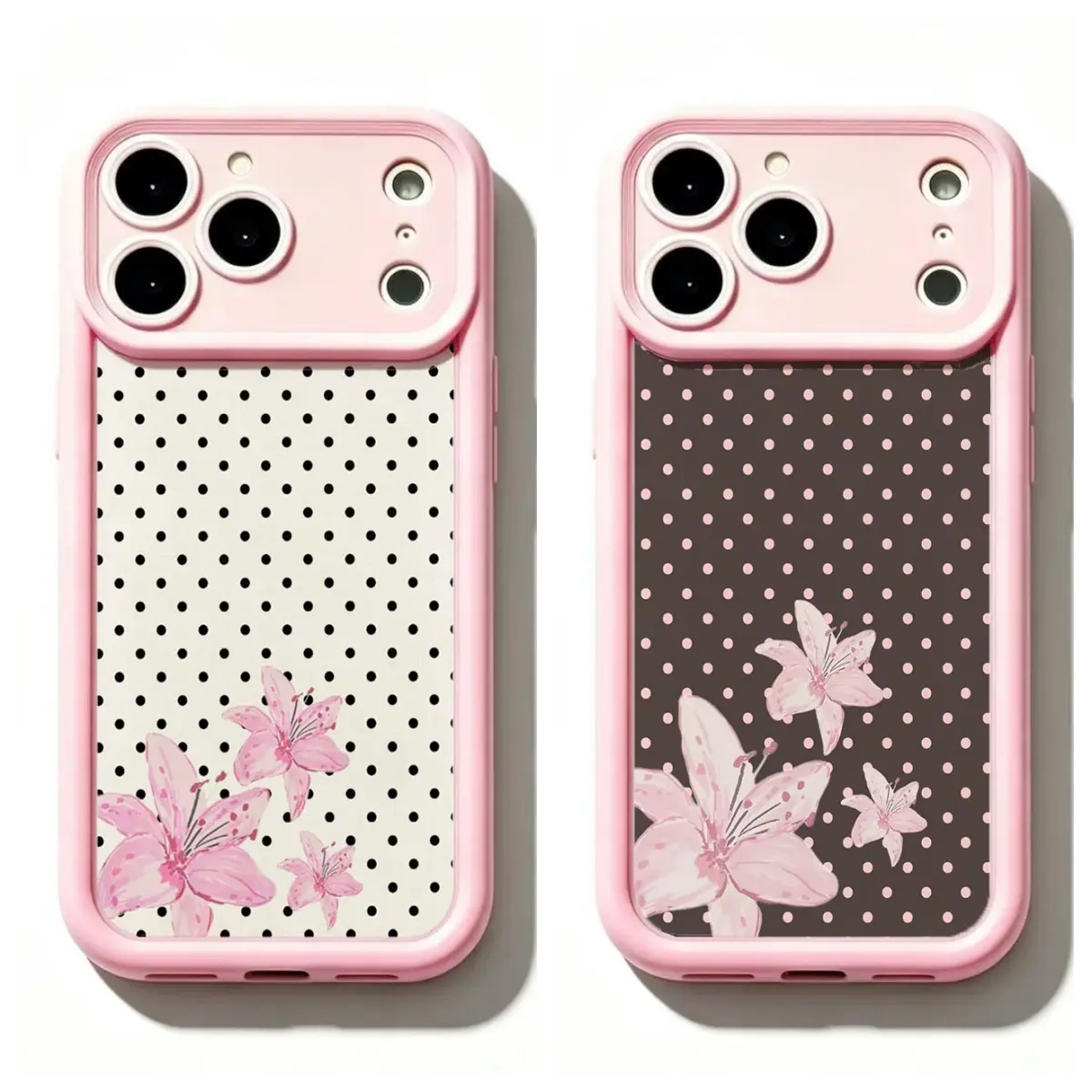
If the light-versus-dark background is the deciding detail and the option label is not clear enough, do not infer the mapping from reading order. Contact support with the product name, phone model and option labels you are considering. That is more reliable than assuming the left image must be the first option.
Compare designs without losing the exact model
Keep the phone model constant while you compare artwork. The two links above both use iPhone 17 Pro Max, so the only intended comparison is the design family. If your phone is another model, change the model on each product page and confirm that it remains available. Do not use a representative camera opening in the image as a fit test; camera openings and artwork placement can vary by device.
Also separate the visual question from the edge or option question. You may prefer the distributed ladybug-and-dot family, or the larger lily composition. That preference does not tell you which generic label is selected. The product selector is where the exact combination is recorded.
A simple checkout handoff
Before you add an item, read the selected option aloud as three parts: product name, full phone model, option label. For example: “Pink Lily Polka Dot, iPhone 17 Pro Max, Pink1.” Then confirm the displayed price. Add to bag if you want to compare more than one selection, or use Buy now to send only the current selection to the shared PatternPop checkout.
At checkout, review the item again before payment. The catalog evidence used here confirms the product IDs, exact SKUs, model names, option labels, listed prices and current checkout eligibility. It does not confirm material composition, MagSafe compatibility, waterproofing, drop-test performance, delivery date, ratings, sales volume or which image panel maps to a generic option label.
For delivery and return terms, read Shipping & returns. For an option-label question, contact PatternPop Case before ordering. You can also browse the full collection once you know which details you need to verify.